
Description
Overview
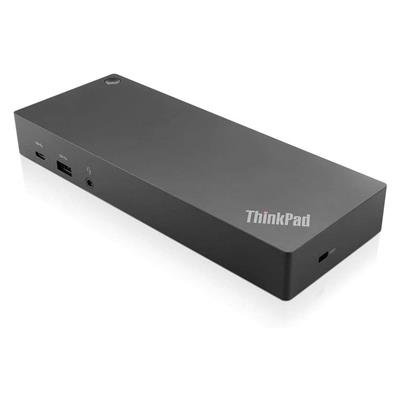
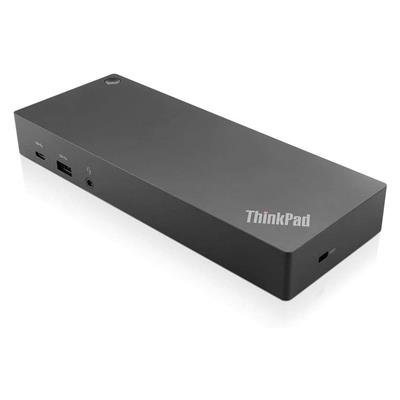
The Lenovo ThinkPad Hybrid USB‑C with USB‑A Dock (40AF0135UK) is a wired docking station designed to work with USB‑C, USB4 and Thunderbolt hosts — and with USB‑A systems via the supplied USB‑C to USB‑A adapter. It provides display, data, networking and charging connectivity for mixed laptop fleets in offices and hot‑desk environments.
Key features
- Support for up to two UHD 4K displays via 2 × DisplayPort 1.4 and 2 × HDMI (up to 3840×2160 @60Hz depending on host capabilities).
- High‑speed data: three USB 3.2 Gen 2 ports (10 Gbps, one always‑on), plus additional USB 2.0 and a USB‑C data port (10 Gbps).
- Includes a 135W ThinkPad AC adapter (slim tip) for rapid charging of many ThinkPad models; actual charging and power delivery depend on the host laptop.
- Enterprise features: Gigabit Ethernet (RJ45), PXE boot, Wake‑on‑LAN and MAC address pass‑through on supported systems.
- Compact footprint with Kensington and NanoSaver lock slots for physical security.
Who it suits
Organisations or users who need a single dock to support a mix of modern USB‑C/Thunderbolt laptops and older USB‑A systems, and who require multiple displays, fast peripheral connectivity and wired networking in a managed environment. Note that certain advanced features (MAC pass‑through, WOL, mirrored power button) are available only on supported Lenovo ThinkPad models.
What’s in the box
- Hybrid Dock unit
- USB‑C cable with USB‑C to USB‑A dongle
- 135W AC adapter and power cord
- Quick start poster/documentation
Important compatibility notes
- Display output, charging and some manageability features depend on the laptop’s hardware and OS. Using the dock with a USB‑A host will limit some capabilities compared with a USB‑C/Thunderbolt connection.
- Supported OS examples include Windows 10/11, macOS 13/14, Ubuntu 22.04 and Chrome OS; check Lenovo support for the latest compatibility guidance.
Reviews
There are no reviews yet.